There's a hidden superpower sitting inside every Discord server you own, and most admins never touch it. No code required, no bot hosting, no monthly bill. It's called a webhook, and once you understand it, you'll wonder how you ran a community without one.
In the next ten minutes you'll learn what webhooks actually are (in plain English), how to create your first one in under 60 seconds, and a stack of practical things you can automate today — GitHub commits, YouTube go-lives, RSS feeds, form submissions, uptime alerts. We'll also cover the security side, because a leaked webhook URL is the digital equivalent of leaving your front door open.
What is a webhook, really?
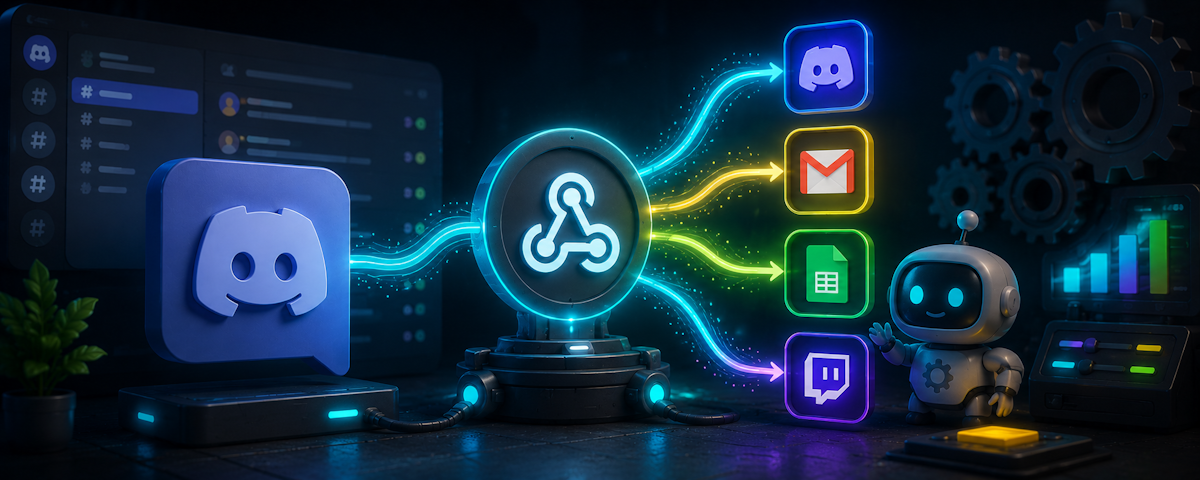
Forget the jargon. A webhook is just a special URL that posts a message to a Discord channel when something sends data to it. That's it.
Think of it like a P.O. box for your channel. You give the address to a service — GitHub, YouTube, a Google Form, whatever — and any time that service has news, it drops an envelope in the box. Discord opens the envelope and posts the contents as a message.
The key things to know:
- Webhooks are one-way. Services send data in. They can't read your channel or do anything else in your server.
- Webhooks don't need a bot account. They post as their own customizable identity with a name and avatar you choose.
- Webhooks are free and built into Discord. No third-party install required.
- Anyone with the URL can post. This is the security catch we'll come back to.
A bot like Phantom is a full application with logic, permissions, and slash commands. A webhook is a dumb pipe. Both have their place, and the smartest servers use them together.
Creating your first webhook in 60 seconds
Let's make one right now. Pick a channel — ideally a fresh one called #test-webhook so you can experiment safely.
- Hover the channel in your server list and click the gear icon (Edit Channel).
- In the left sidebar, click Integrations.
- Click Webhooks, then New Webhook.
- Give it a name (e.g. "Test Bot"), optionally upload an avatar, and click Copy Webhook URL.
- Click Save Changes.
You now have a URL that looks something like:
https://discord.com/api/webhooks/123456789/abcDEF...Treat this URL like a password. Anyone who has it can post in that channel as your webhook.
To prove it works, you don't even need a service yet — any tool that can make an HTTP request will do. If you're comfortable with the terminal:
curl -H "Content-Type: application/json" \
  -d '{"content":"Hello from my first webhook!"}' \
  YOUR_WEBHOOK_URL
Boom — a message appears in your channel. No code, no bot, no hosting. Welcome to automation.
Zero-code use cases worth setting up today
Here's where webhooks earn their keep. Every one of the following can be wired up by a non-developer in under 15 minutes.
1. GitHub commit and PR notifications
If your team or open-source project lives on GitHub, pipe activity directly into a #dev-feed channel.
- In your GitHub repo, go to Settings → Webhooks → Add webhook.
- Paste your Discord webhook URL — but add
/githubto the end of it. Discord has a built-in parser for GitHub's payload format. - Set content type to
application/json, pick which events you care about (pushes, PRs, issues), and save.
Your channel now gets a clean embed every time someone commits. No GitHub bot needed.
2. YouTube and Twitch go-live alerts
This one is worth a sidebar. You can rig up YouTube and Twitch via IFTTT or Zapier, but if you're running a creator community, Phantom has native YouTube, Twitch, and TikTok integrations built in — with custom messages, role pings, and reliable delivery. Skip the webhook gymnastics for live alerts and use the integration. Save webhooks for the stuff Phantom doesn't natively handle.
3. RSS feeds via IFTTT, Pipedream, or Make
Want every new blog post from your favorite site to land in #industry-news? Or your own Medium articles in #announcements?
- Sign up free at IFTTT, Pipedream, or Make (formerly Integromat).
- Create a flow: Trigger = "New item in RSS feed", Action = "Make a POST request" to your Discord webhook URL.
- The body should be JSON like
{"content": "New post: {{title}} {{url}}"}.
That's it. Free, runs forever, no code.
4. Form submissions from your website
Running a clan application form, a creator submission, or a feedback box? Tools like Tally, Typeform, and Google Forms (via Pipedream) can fire a webhook on every submission.
Route applications into a private staff channel, and your moderators see them in real time without checking a separate dashboard.
5. Server and uptime monitoring
UptimeRobot, BetterStack, and Healthchecks.io all support Discord webhooks natively. If your game server, website, or Minecraft host goes down, your admin channel pings instantly.
For game servers specifically, plugins like DiscordSRV (Minecraft) or Source Engine webhook scripts will pump player joins, chat, and crash reports into Discord.
6. Sales, donations, and Patreon
Stripe, Ko-fi, BuyMeACoffee, and Patreon can all fire webhooks on new payments. Celebrate every new supporter in a #thank-you channel — it's great social proof and surprisingly motivating for your team.
Making webhook messages look professional
A wall of plain text is fine for #test-webhook. For anything customer-facing, use embeds — those rich, colored cards you see from polished bots.
Here's a minimal embed payload:
{
  "username": "Release Bot",
  "avatar_url": "https://example.com/logo.png",
  "embeds": [{
    "title": "v2.4.0 is live",
    "description": "New dashboard, faster search, dark mode polish.",
    "url": "https://example.com/changelog",
    "color": 5814783,
    "footer": { "text": "Shipped with love" },
    "timestamp": "2025-01-15T12:00:00.000Z"
  }]
}
A few formatting tips that punch above their weight:
usernameandavatar_urloverride the webhook's default identity per message. One webhook can post as "Sales Bot" and "Support Bot" depending on the payload.coloris a decimal integer (convert from hex:#58B9FF→5814783). Color-code by severity — green for success, red for outages.- Use
fieldsfor structured data like usernames, IDs, or counts. Setinline: trueto lay them out in columns. - Keep titles under 80 characters and descriptions under ~300 for mobile readers.
If you're sending from no-code tools, most have a "raw JSON" mode where you can paste templates like the one above and inject variables.
The security talk (read this part twice)
Webhook URLs are bearer tokens. There is no further authentication. If someone gets the URL, they can post anything they want in that channel — including phishing links dressed up as official announcements.
Real incidents we've seen:
- A studio committed their webhook URL to a public GitHub repo. Within hours, a bot was spamming crypto scams in their
#announcements. - A community manager pasted a webhook URL into a screenshot for a tutorial. A viewer extracted it and impersonated the owner.
- An old IFTTT applet kept a webhook URL stored after the channel was deleted and recreated — except a former admin still had access.
Webhook hygiene checklist
- Never commit webhook URLs to public repos. Use environment variables or secret managers.
- Never share them in screenshots, support tickets, or public Discords. Blur them like a credit card number.
- Rotate them periodically — especially after a staff member leaves. Edit the webhook in Discord and click the regenerate icon next to the URL.
- Use a dedicated channel per integration where practical. If one URL leaks, the blast radius is one channel, not your main announcements.
- Restrict who can manage webhooks. The Discord permission is Manage Webhooks — only trusted staff need it. Audit your role permissions today.
- Delete webhooks you no longer use. Out of sight, out of mind, still active.
How Phantom helps you watch webhook activity
Phantom's logging and security modules track webhook creation, deletion, and updates across your server — so when a new webhook appears at 3 a.m. with a suspicious name, your staff channel knows about it. Combined with Phantom's automod and raid detection, you have a real audit trail instead of guessing what happened during an incident.
If you've never run a webhook audit, today's a good day. In every channel that matters, open Edit Channel → Integrations → Webhooks and ask: do I recognize this? Is it still needed? Who created it? Delete or rotate anything you can't account for.
Common mistakes that ruin good automation
Webhooks are easy to add and easy to forget. The failure modes are predictable:
Notification fatigue. Piping every single GitHub event, every CI build, and every uptime ping into one channel turns it into background noise. Split aggressively: #deploys, #alerts, #commits. People only mute channels that drown them.
Unnamed webhooks. "Captain Hook" is funny once. When you have eleven webhooks all named "Webhook" and one is misbehaving, you'll wish past-you had named them gh-mainrepo-prs and uptime-prod-api.
Stale webhooks. Services come and go. That Zapier zap you set up two years ago for a product you no longer sell is still authenticated and still posting. Audit quarterly.
Webhook sprawl across channels. When every channel has 3-4 webhooks, no one person owns them. Pick a tagging convention — even just emojis in the name (📊 analytics-daily) — so ownership is obvious.
Treating webhooks as a bot replacement. They aren't. Webhooks can't read messages, respond to commands, manage roles, or moderate. For that, you need a bot. (Hi.)
Going further: Phantom's outbound webhooks
So far we've talked about webhooks as inbound — external services posting into Discord. Phantom also lets you go the other way: outbound webhooks that fire on server events.
This means you can pipe Phantom data out to your own systems. A few examples our users build:
- Moderation events to a SIEM or analytics dashboard, so your trust & safety team has a single pane of glass across multiple servers.
- New member joins to a CRM or onboarding email tool.
- Ticket open/close events to a project management tool like Linear or Notion.
- Level-up events to a rewards platform or merch store.
It's the same zero-code mindset — pick an event, paste a URL, and let services talk to each other.
Your weekend project
Here's a concrete plan. Block off 30 minutes this weekend and do exactly this:
- Create a
#automation-testchannel. - Make one webhook and send yourself a
curlhello. - Set up one real integration you've been putting off — RSS, GitHub, uptime, whatever scratches an itch.
- Audit your existing webhooks in every channel. Name them properly. Delete dead ones.
- Enable Phantom's logging on webhook events so you're notified next time one is created.
Webhooks are the closest thing Discord has to free, infinite leverage. The admins who use them well spend less time copy-pasting updates and more time actually building community.
Now go make something post itself.